Searching a Google Spreadsheet
Scrolling through over 800 families to find a contact you are looking for is an arduous task even if the families are listed alphabetically, and impossible if they aren't. Fortunately the Google Sheets app provides a way to search for any value in any cell in a spreadsheet.
Search
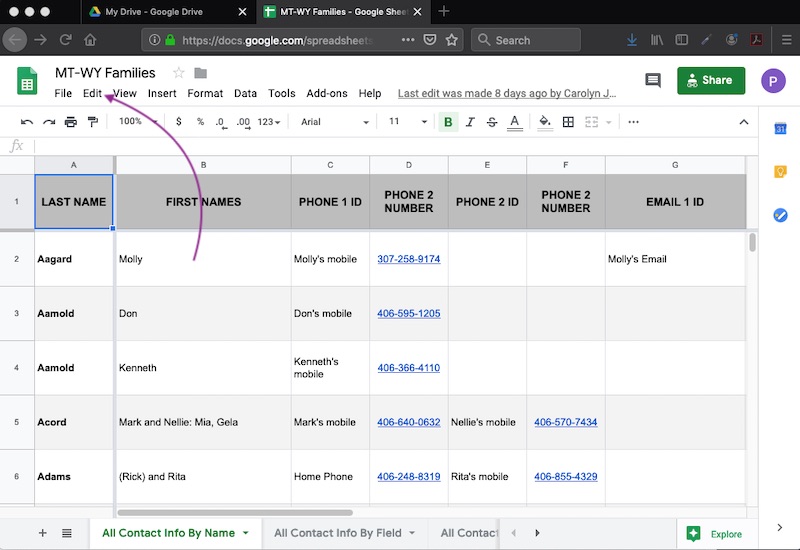
To get started, click Edit, highlighted by the arrow below.
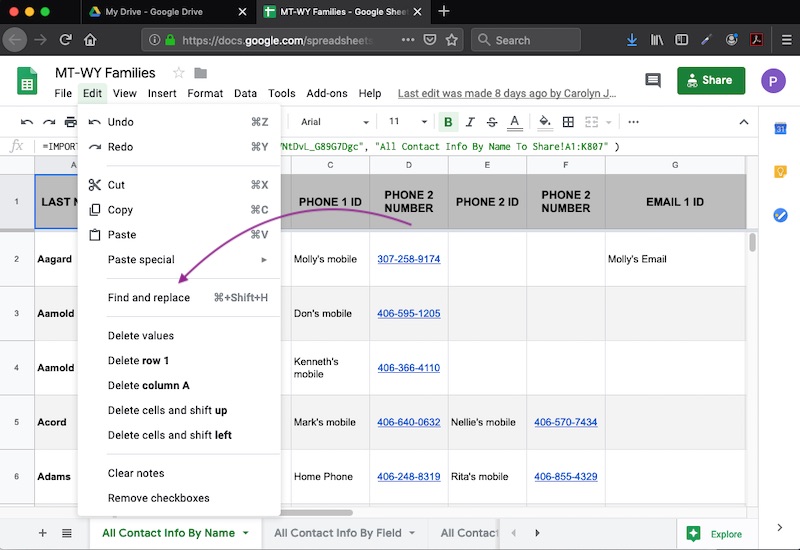
Clicking edit opens a pane containing various editing options. Click the option Find and replace.
In turn, clicking Find and replace brings up the Find and replace pane.
Suppose you are looking for a family entry with "Rocky" in it. Since we did not select the Match case option in this instance, the app will discover every instance of the string of letters comprising "Rocky" regardless of case and even if those letters are just part of a longer word or name.
Click Find to begin the search process for "Rocky".
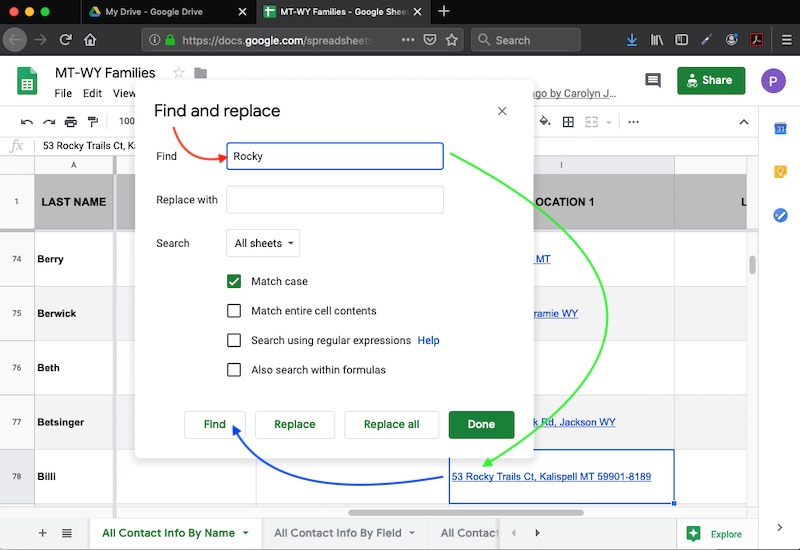
As you can see, the first instance of the string of letters comprising "Rocky" was found on line 78, where it is part of a street name in Kalispell. Since that line does not hold the desired contact, Find must be clicked again and again, until the line containing the desired contact is found
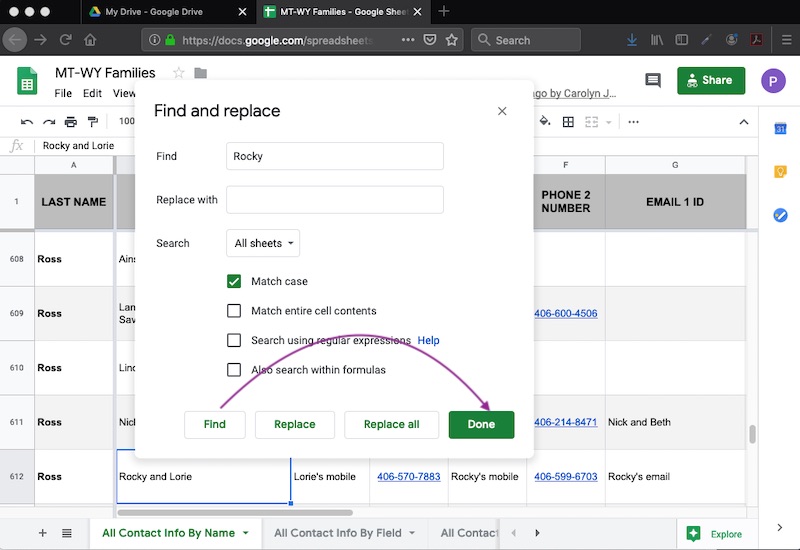
In this case, clicking Find for just a second time brings up row 612 with a cell highlighte that has the name "Rocky" in it. If this is the contact you were looking for, you would click "Done" and peruse this contact in more detail by scrolling line 612 left and right.